“Please send your ID, incorporation docs, and last year’s returns” sounds simple—until the reply is three partial emails, a zip that will not open, and a reminder thread that runs for two weeks. Collecting documents from clients, vendors, or applicants over email is slow for them and messy for you.
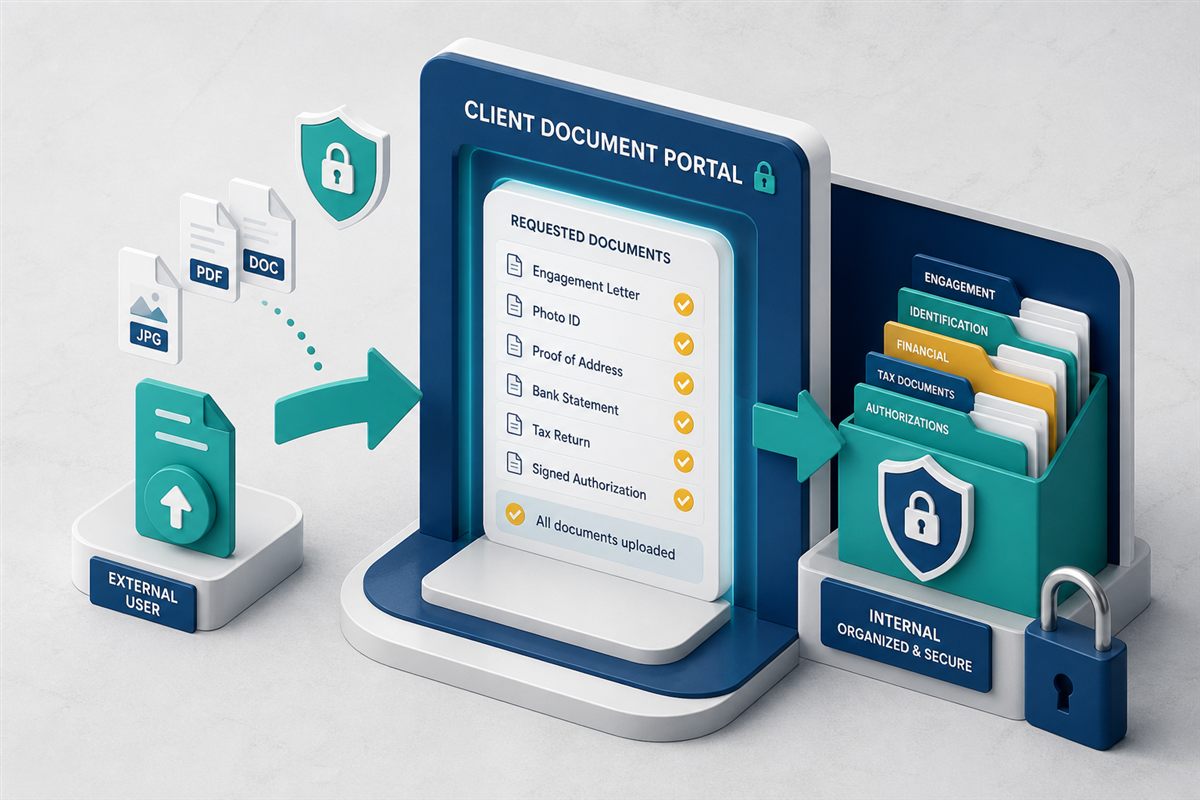
A document portal (or document request) replaces that chase with a structured checklist and a secure place to upload. Submitters see what is still outstanding. Your team sees what has arrived—filed into the right records without account creation for every outsider.
"The fastest way to finish onboarding is to show people exactly what is missing."
Why checklists beat open-ended email asksWhere Email Collection Falls Apart
- Ambiguous requests. Clients guess formats, versions, and whether a photo of a passport is acceptable.
- Incomplete packs. Nobody has a single view of what arrived versus what is still needed.
- Security risk. Sensitive files bounce through personal inboxes and forwarding chains.
- Filing labor. Staff rename and drag attachments into folders after every reply.
- No shared status. Managers ask “are we complete?” and get different answers from different people.
What a Document Portal Provides
At its best, a portal combines three ideas:
- A request checklist listing each required document (and optional ones).
- A secure upload experience so outsiders can submit without a full product login.
- Internal visibility so your team tracks progress and stores files under permissions and audit controls.
That is different from a simple share link. Share links distribute your files outward. Portals and requests pull their files inward against a defined list.
Where Portals Shine
- Client or patient onboarding packets with IDs, consents, and forms.
- Vendor due diligence—insurance certificates, W-9s, policies.
- Legal and financial matter intake with evidence checklists.
- HR / education admissions document collections before a start date.
- Renewals where the same set of certificates is needed each year.
Practices That Keep Collection Smooth
1. Name Each Item Clearly
“Government-issued photo ID (PDF or JPG)” beats “ID docs.” Add short notes on naming, file types, or freshness (for example, “issued within 90 days”).
2. Use Expiry and Access Controls
Request links should not live forever. Pair portals with time-limited access, and use password-protected sharing when distributing sensitive outbound packs. Internal permissions still govern who on your team can open submissions.
3. Separate Collection From Collaboration
Let outsiders upload through the portal; keep editing, review, and approval inside your DMS with roles and workflows. Do not turn the portal into an uncontrolled shared drive.
4. Trigger Work When Packs Complete
When the checklist hits 100%, route a review task or workflow so intake does not sit unnoticed. Completeness should start the next process, not end in a silent folder.
How a Modern DMS Helps
TurboDMS includes document requests / portal-style collection so submitters can upload against a checklist without needing a full account. Alongside that, teams get:
- Files stored in the repository under normal folder and role permissions.
- Secure sharing options with expiry and password controls when you send materials out.
- Forms (TurboForms) when you also need structured data—not only file uploads.
- Workflows and tasks to review packs once they arrive.
- Audit-friendly history of what was submitted and when.
For documents that still arrive as email attachments, pair portals with email-to-folder capture so every intake path ends in the same system. HR onboarding packs are covered in employee file management for HR; generating documents from forms is in document automation: generate, route, and file.
The Bottom Line
Chasing files over email is not a process—it is a habit. Document portals turn collection into a checklist with a secure upload path, clearer status for everyone involved, and records that live where your team already works.